Getting started
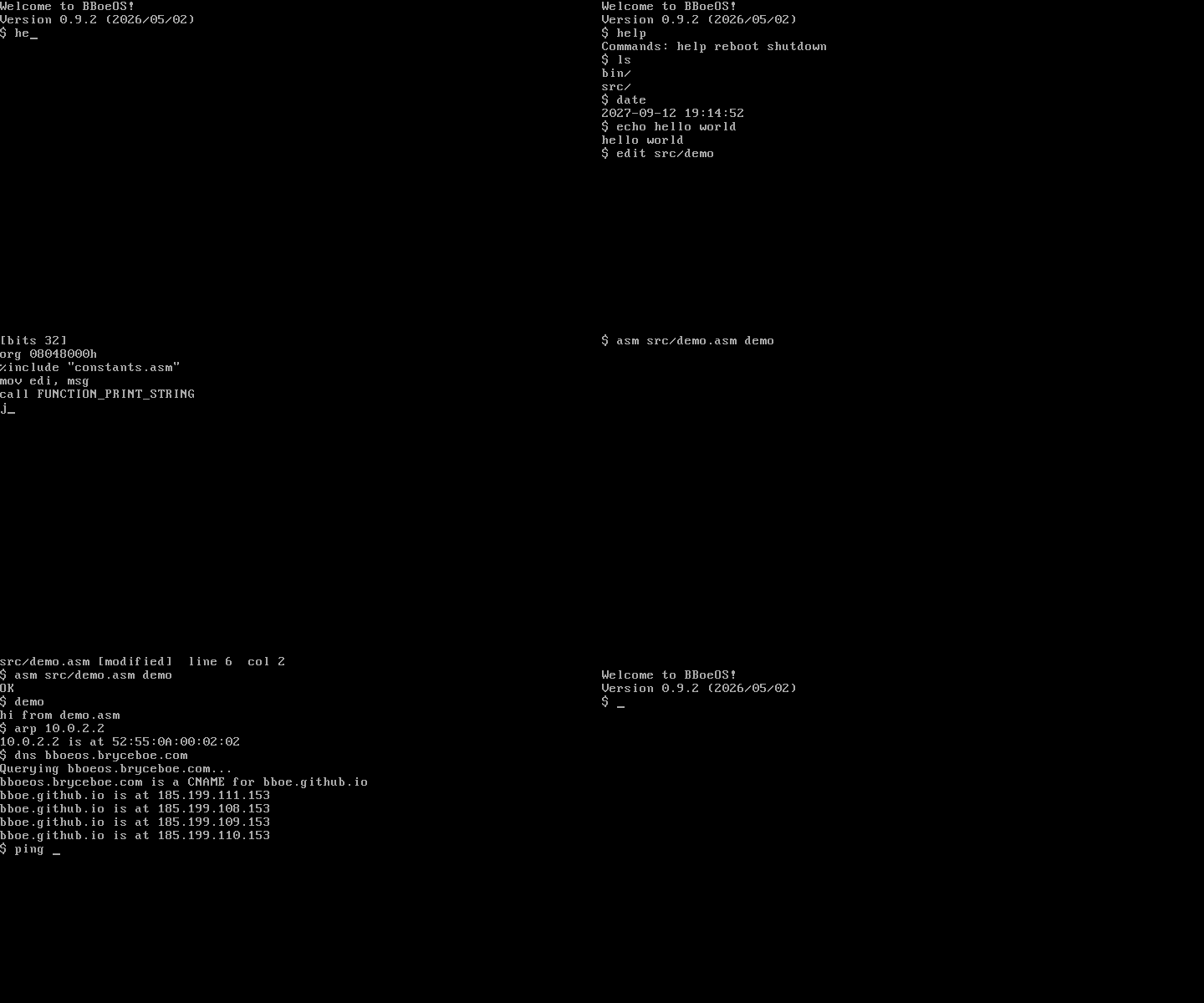
A short walkthrough: build the OS, boot it in QEMU, run a built-in, add a file, compile and run a tiny C program.
1. Install dependencies
See Requirements for the full list. The minimum set to follow this walkthrough:
nasmpython3qemu-system-i386
Ubuntu / Debian:
sudo apt-get install -y nasm python3 qemu-system-x86
macOS (Homebrew):
brew install nasm python qemu
2. Build the disk image
From the repo root:
./make_os.sh
This produces drive.img, a flat MBR-partitioned disk image with the bootloader, kernel, and every userland program in bin/.
3. Boot in QEMU
qemu-system-i386 -drive file=drive.img,format=raw -serial stdio
-serial stdio mirrors the console to your terminal, so input/output flow through both the QEMU window and the shell you launched it from. After a moment you should see:
Welcome to BBoeOS!
Version 0.9.2 (2026/05/02)
$
4. Try a few built-ins and programs
The shell has three built-ins (help, reboot, shutdown); everything else is loaded from disk. Try:
$ help
$ ls
$ echo hello world
$ date
$ uptime
$ cat README
ls, echo, cat, date, and uptime all live as separate executables under bin/. The shell first looks in the root directory, then retries with a bin/ prefix — so cat finds bin/cat. The full catalog is on the Programs page.
To exit the OS cleanly, type shutdown or hit Ctrl-D at the prompt — both invoke the same APM / QEMU shutdown hooks. reboot triple-faults via the 8042 keyboard controller and goes back to the boot prompt.
5. Add a file from the host
While the OS is not running (the host script writes directly to drive.img):
echo 'hello from the host' > /tmp/note.txt
./add_file.py /tmp/note.txt
Re-boot and cat note.txt will print the line. To put it inside a subdirectory:
./add_file.py --mkdir notes
./add_file.py -d notes /tmp/note.txt
Then in the shell: cat notes/note.txt.
6. Write and run a C program
BBoeOS has a custom C subset compiler (cc.py) that translates user/programs/*.c to NASM-compatible assembly. The build script picks up every .c in user/programs/ automatically — drop a new one in and rebuild.
Create user/programs/hello.c:
int main() {
    printf("hello from a user program\n");
    return 0;
}
Rebuild and reboot:
./make_os.sh
qemu-system-i386 -drive file=drive.img,format=raw -serial stdio
In the shell:
$ hello
hello from a user program
hello runs from bin/hello, loaded at user-virt 0x08048000 in its own page directory at ring 3. printf resolves to a libbboeos entry the kernel maps read-only at user-virt 0x10000.
The full set of types, control flow, operators, and builtin functions the compiler accepts is on the C subset reference page.
7. Where to go next
- Programs — the catalog of shell-callable executables.
- C subset reference — what
cc.pyaccepts when you write your own program. - Architecture — boot path, paging, ring-3 transitions, and per-program address spaces.
- Syscall interface — the
INT 30htable and argument-register conventions.